Everything Veggie Exchange does
Organized by who it’s for. Each feature says where it lives: the iPhone app, the website, or both. Farm tools are on the website.
For gardeners
A journal for everything you grow.
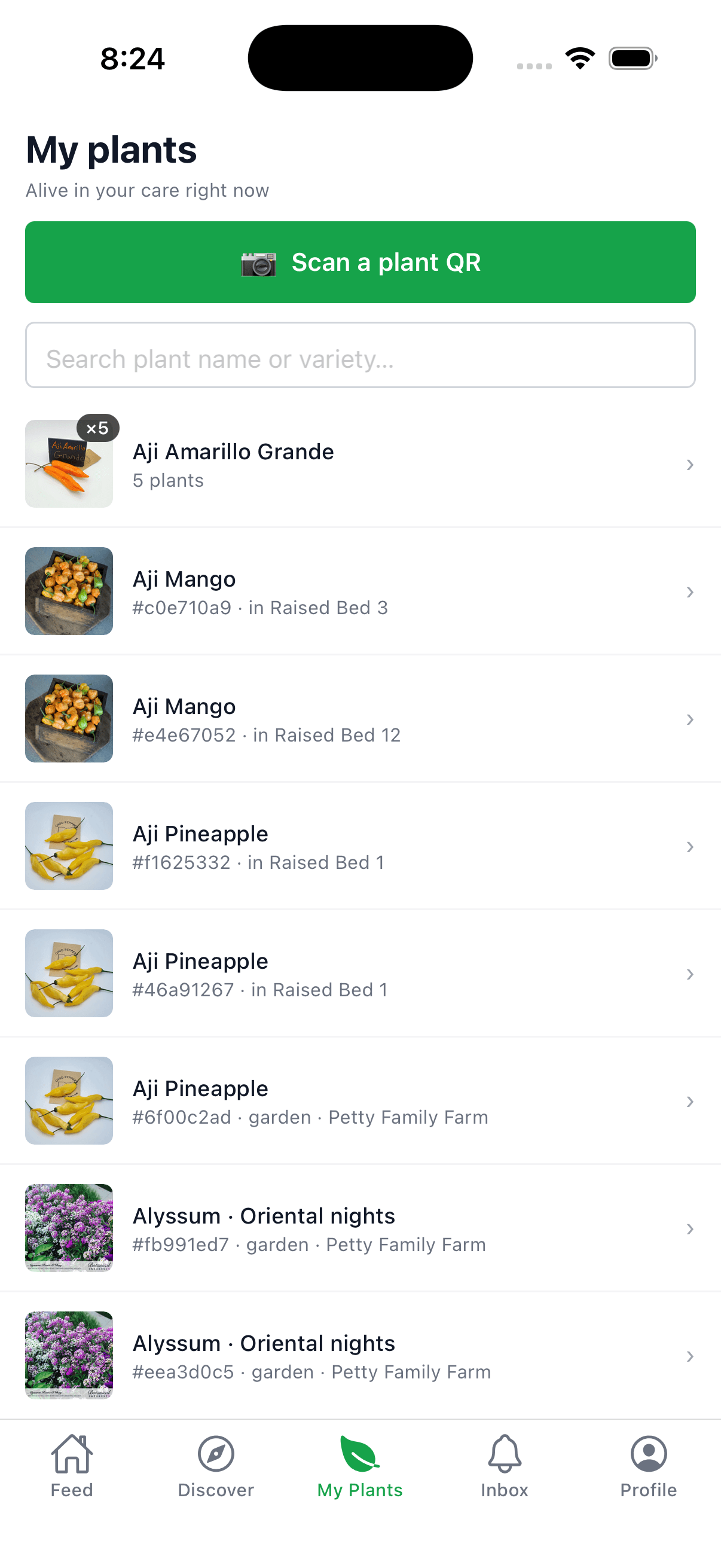
Keep a record of every plant, wherever it came from. Best on the iPhone app.
My Garden
Track the plants you got from a farm and the ones you bought or grew yourself. No farm needed.
- App
- Web
One timeline per plant
Care events, photos and pot-size history in one place, plus “originally labeled as” when a variety was corrected.
- App
- Web
Problem logging
Record diseases, disorders and pests, and what you did about them, from discarded fruit to pulling the plant. Private by default.
- App
- Web
Harvest logging
Log each harvest with a quantity and unit, and see how much every plant produced. Personal harvest charts are in the app.
- App
- Web
Badges
39 badges to earn for sowing, harvesting, posting and more, with a celebration in the app when you unlock one.
- App
- Web
AI check (invite-only)
Snap a photo of a struggling plant, get a suggestion of what's wrong, and log it as a problem.
- App
Plant detail
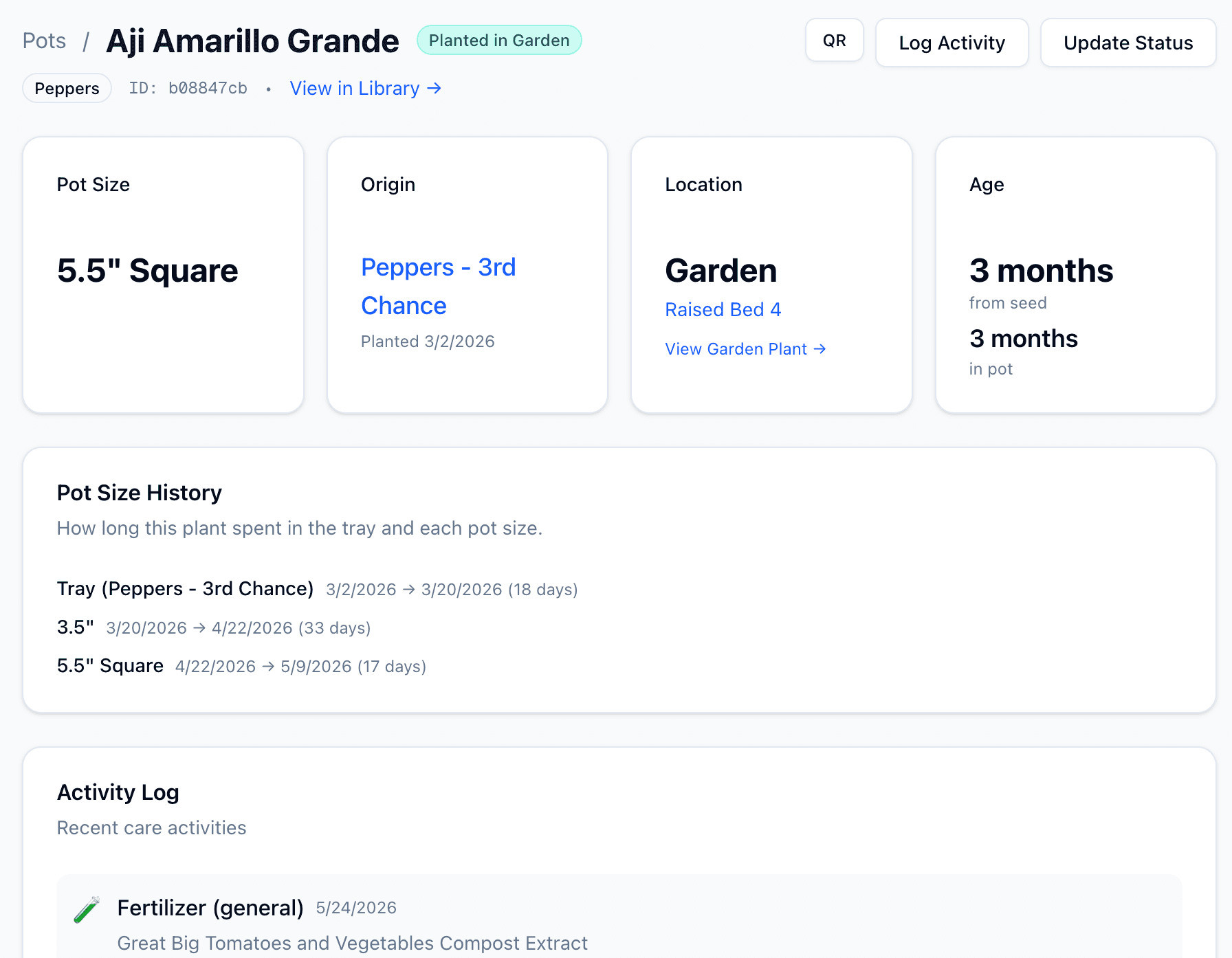
Every plant has its own story.
Tap any plant and see its full history: when it was sown, every pot size it lived in, where it went in the garden, and every care event logged along the way.
- ✓Pot size history with day counts at each stage
- ✓Age from seed and from potting at a glance
- ✓Activity log of every watering, feeding, problem and harvest
- App
- Web
For neighbors picking up plants
Find seedlings grown down the street.
Some growers share for free; some ask a small price, paid to them directly. Best on the iPhone app.
Discover farms near you
Browse public farms and follow the ones you like to see their updates in your feed.
- App
- Web
Reserve and pick up
Add plants to your cart and they're held for you. Pick a pickup window and get a confirmation with the grower's payment instructions.
- App
- Web
Manage your order
Change your pickup window or cancel items yourself, and see every order in one place.
- App
- Web
Report a wrong plant
If your ‘Sungold’ turns out to be a Roma, tell the grower. They can correct it without reprinting the label.
- App
- Web
For growers
Run a farm, from seed to pickup.
A farm is a grower’s workspace: trays, pots, labels, a store and pickup windows. Plan on the website; log in the field on your phone.
- Web
Seed inventory
Every seed packet in one place.
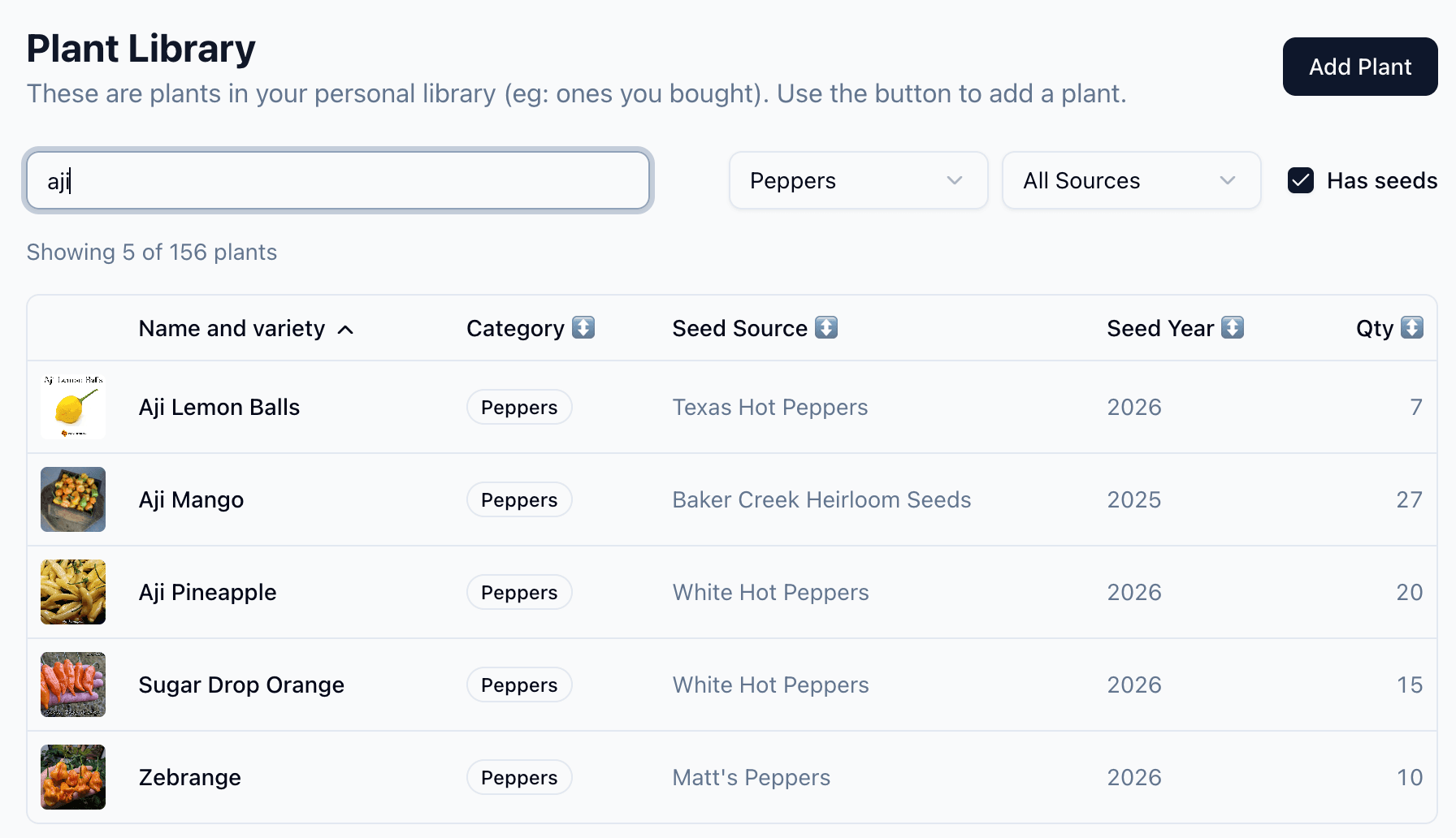
Build your farm's seed list from a shared, curated catalog of varieties. Search hundreds of seed lots, filter by category or seed source, and remember what worked when next season rolls around.
- ✓Varieties come from a shared plant catalog, so names stay consistent
- ✓Filter by category, seed source, or season
- ✓Track seed year, quantity on hand, and vendor at a glance
Tray planner
Plan your trays before you sow.
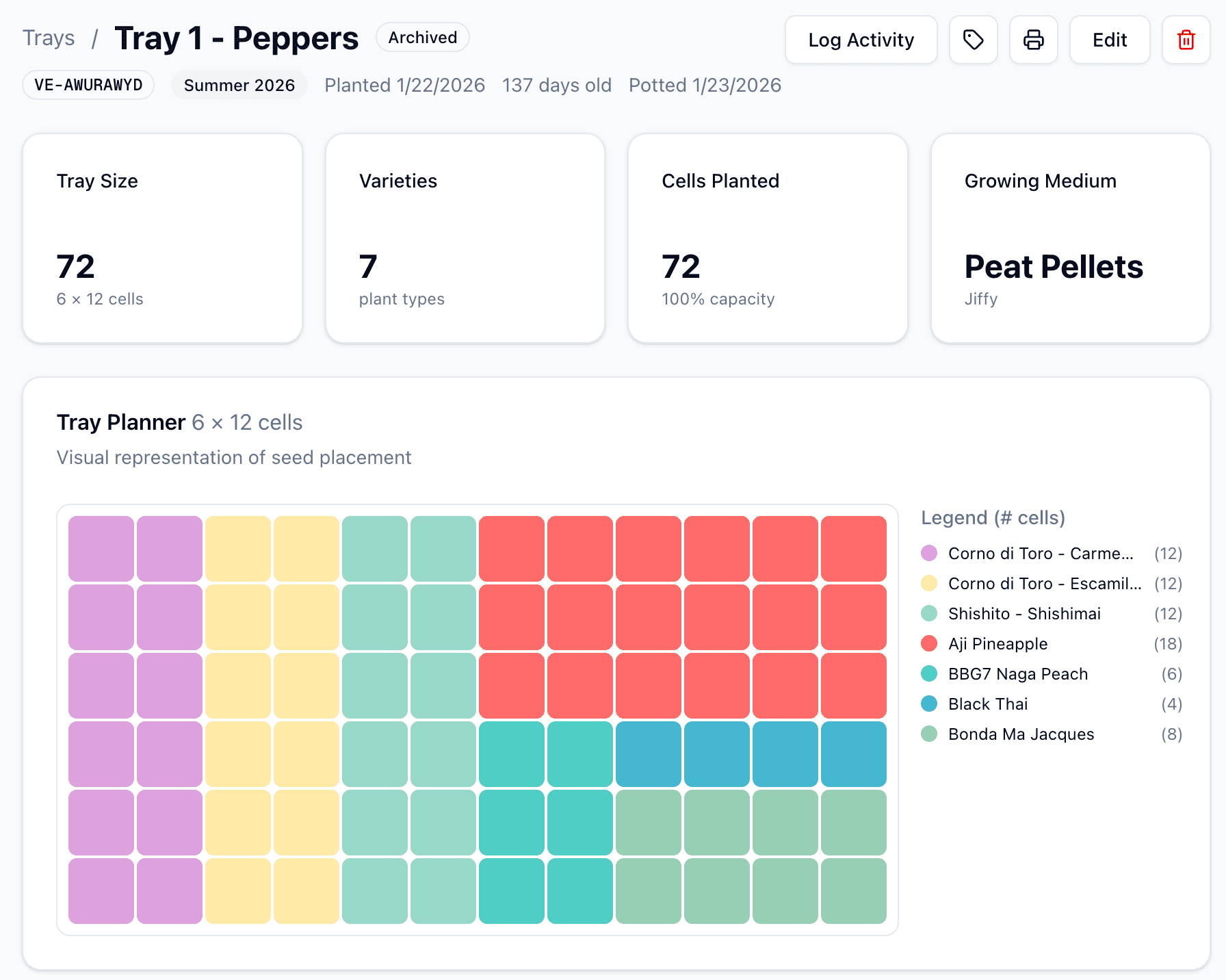
Lay out a seed tray visually before you put a single seed in soil. Assign varieties to cells, mix multiple plants in one tray, and print a labeled diagram you can take out to the greenhouse.
- ✓Visual color-coded cell layout per tray
- ✓Mix multiple varieties in a single tray with a clear legend
- ✓Track tray size, growing medium, and cell count in one place
Germination tracking
Watch them sprout, week by week.
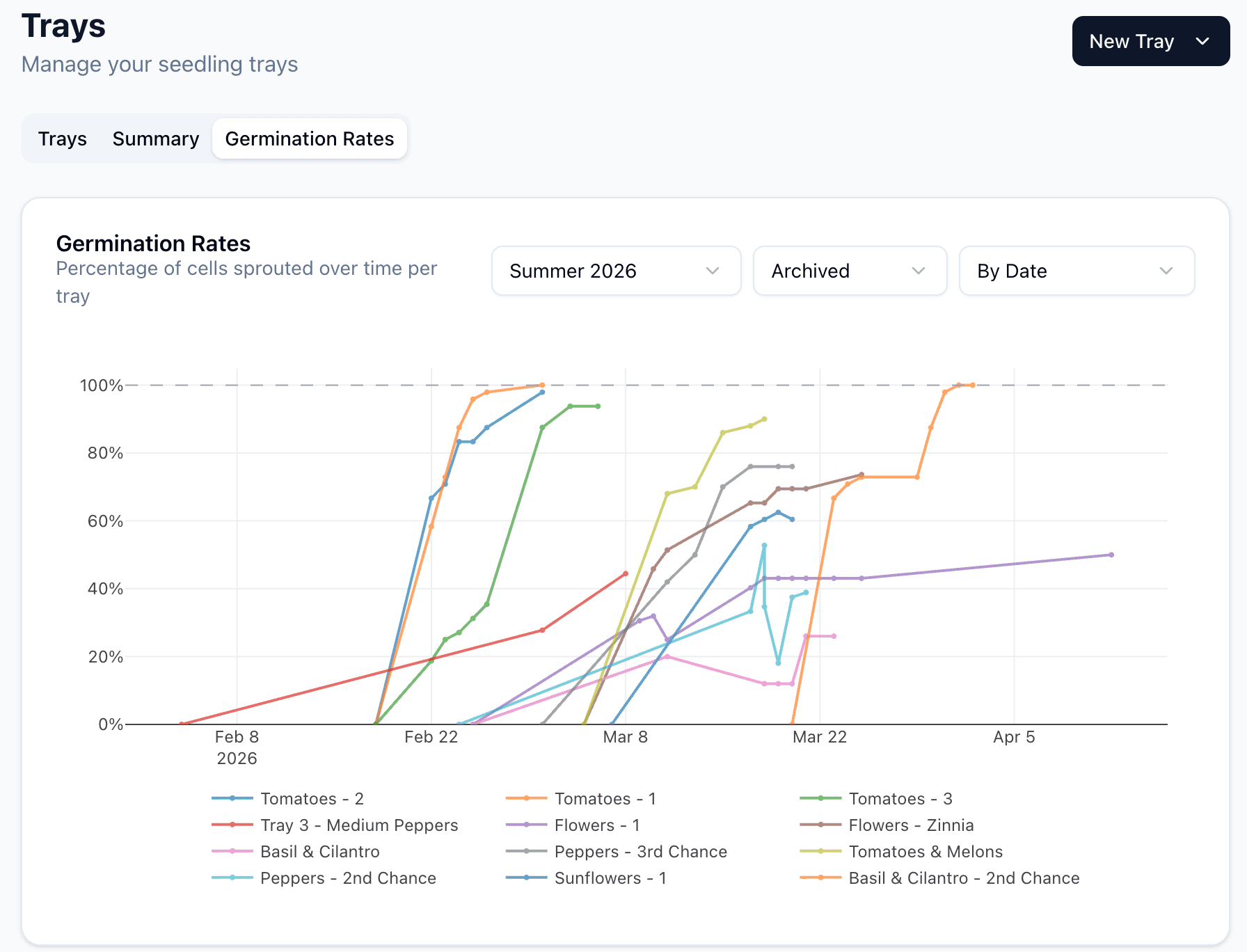
Track germination rates across every tray and every variety. See which seed lots are strong and which need a second chance, this season and against past ones.
- ✓One line per tray and variety over time
- ✓Compare against previous seasons
- ✓Spot germination problems early so you can replant in time
Outcome flow
See where every seed ends up.
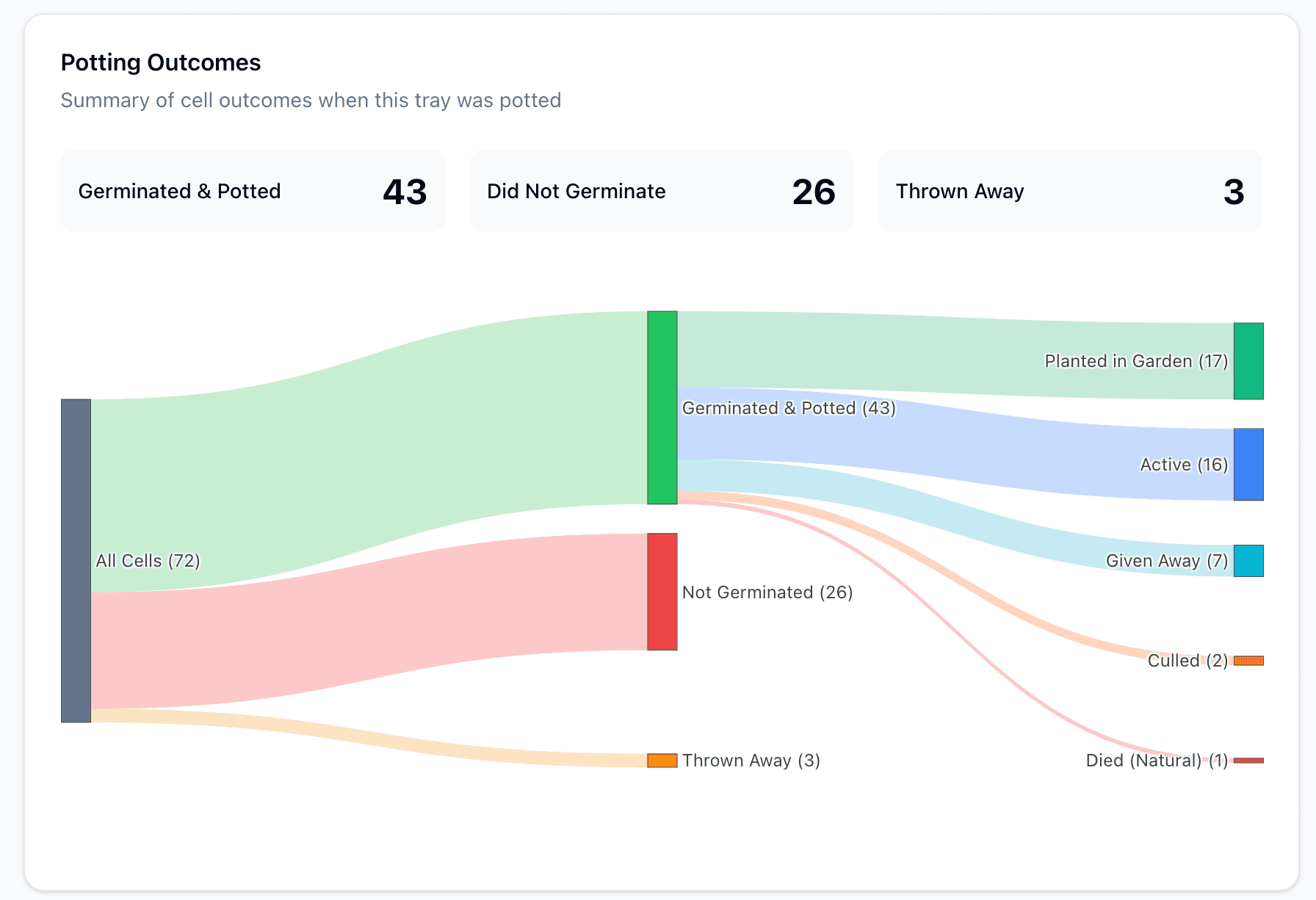
A sankey diagram traces every cell from sowing to its final destination: germinated, potted, planted in your garden, given to a neighbor, or lost along the way.
- ✓Visual outcome breakdown per tray
- ✓Tracks germinated → potted → garden, given away, finished, or lost
- ✓Makes it obvious which varieties are worth re-growing
Season analytics
Zoom out to the whole season.
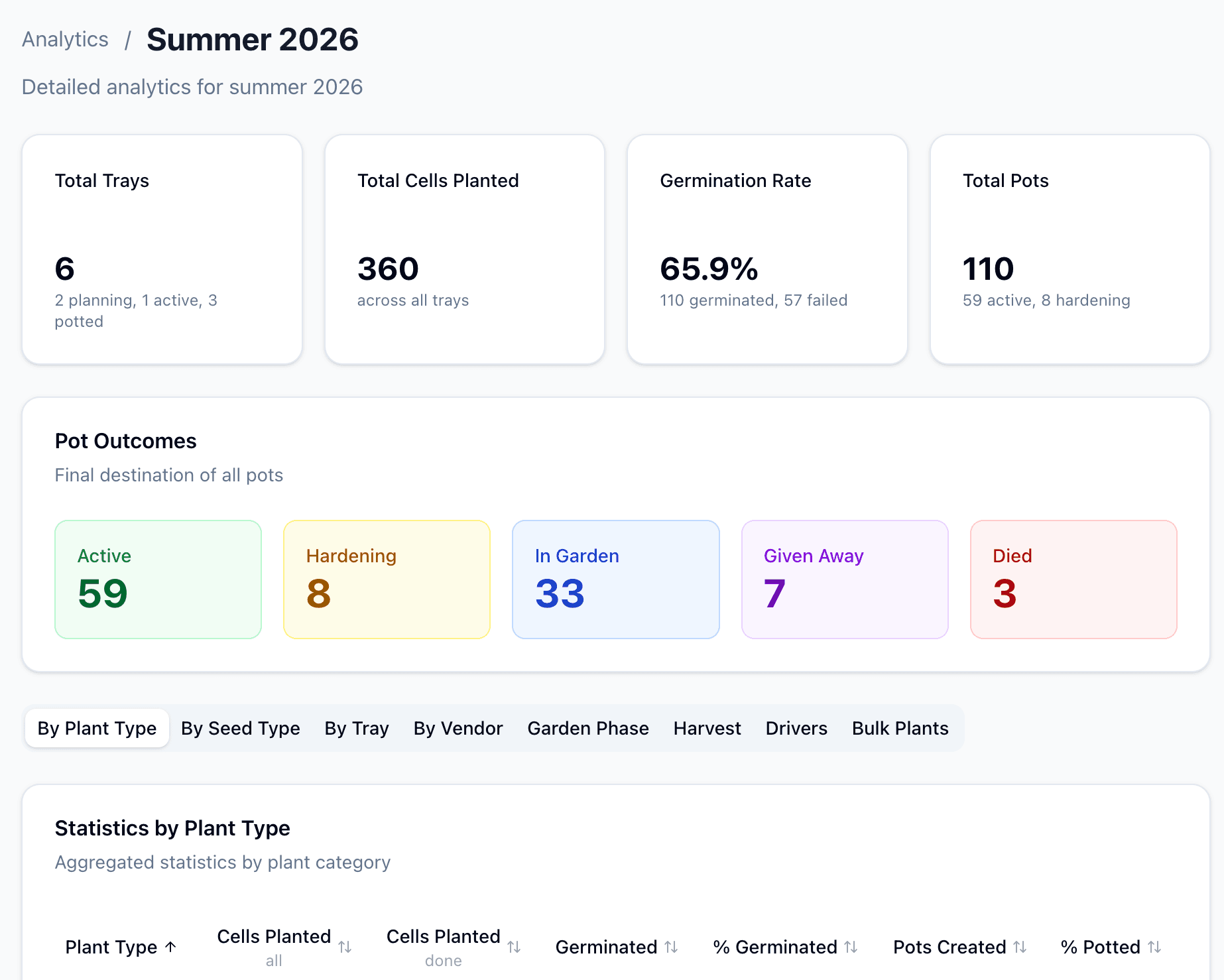
Follow the season as a funnel, from sown to germinated to potted to planted out, and see where plants dropped off. Compare seasons year over year and tune what you grow.
- ✓Lifecycle funnel with drop-offs at every stage
- ✓Germination, loss analysis, and harvest by seed packet
- ✓Season-over-season comparison, with seasons set per farm
Also for growers
Everything else a farm needs.
Pots and QR labels
Every pot keeps its identity as it moves up in size, with a full size history. Print QR labels that never go stale.
- Web
Garden beds
Map beds, record treatments and plant families, and compare beds by total yield, yield per square foot, or yield adjusted for crop mix.
- Web
Store and orders
List offerings, set pickup windows with capacity, manage orders, add bonus items, and track paid and unpaid in a ledger.
- Web
Direct gifts
Give a plant straight to a named person without going through the store.
- Web
Members and roles
Invite household members and farmers to help, each with the right level of access.
- Web
Announcements and moderation
Email announcements to your followers, and moderation tools for your farm's community feed.
- Web
Community
Share what you grow with people nearby.
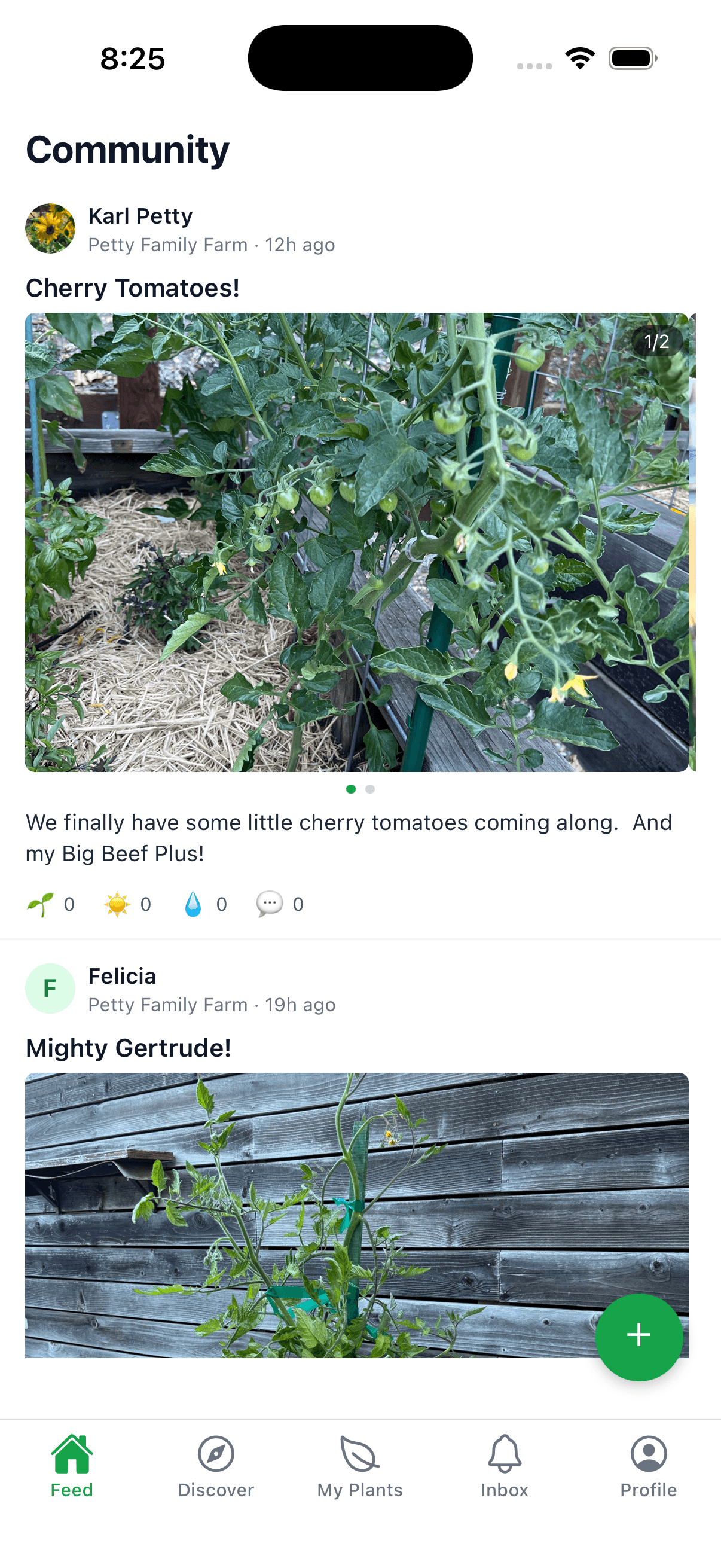
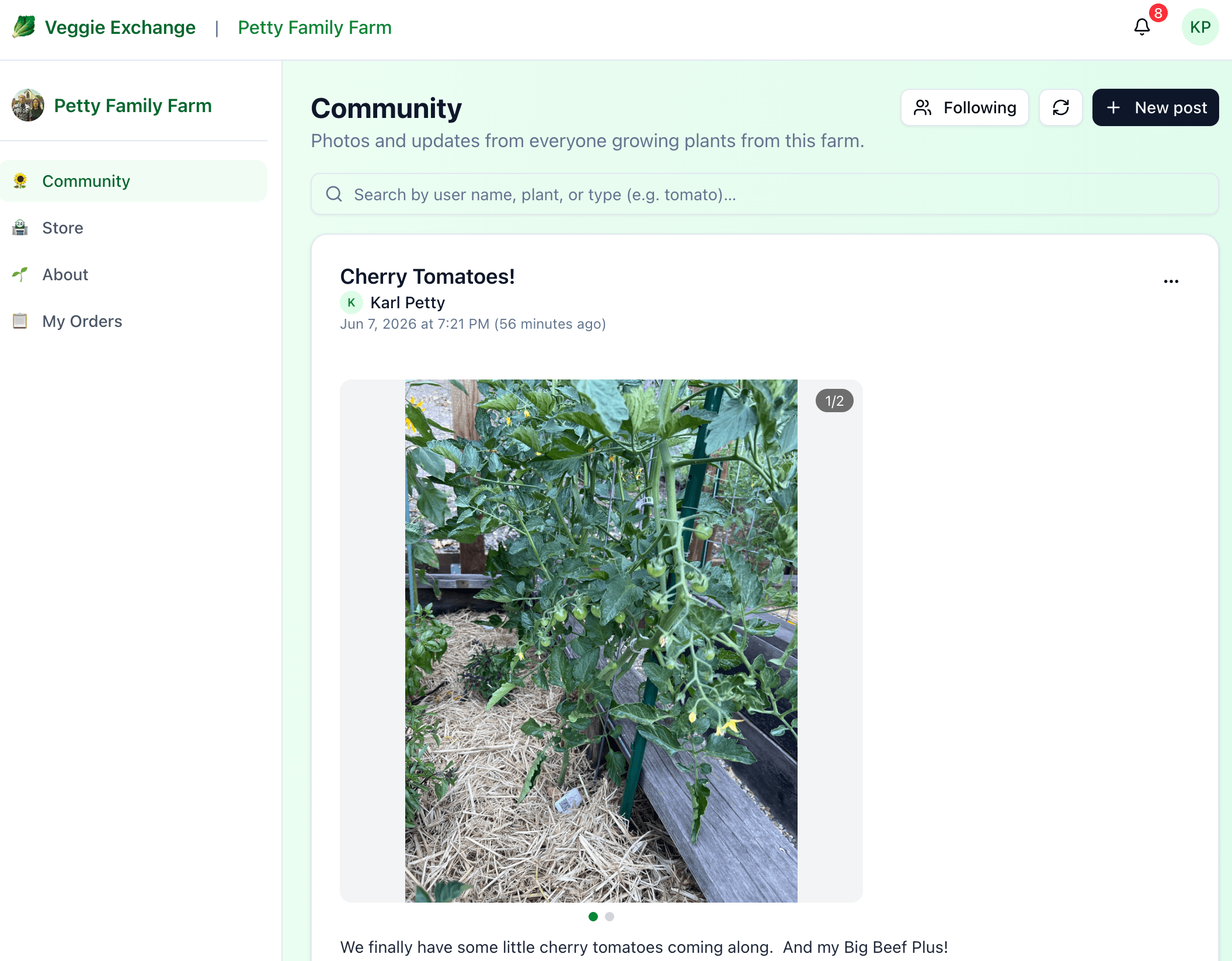
Post photos and updates from your garden, tag specific plants, and follow other growers. Reactions and comments keep the conversation going.
- ✓Post photos, react, comment, and follow other growers
- ✓Tag the exact plant in a post by scanning its QR code
- ✓See updates from every grower at the farms you follow
- App
- Web
Everywhere
Built to be shared.
Features you'll bump into all over the app and the website.
Photo posts
Multiple photos per post with a swipeable fullscreen viewer. Location is stripped from your photos before they're uploaded.
- App
- Web
QR plant tags
Scan a tag to see the plant's story or tag it in a post. Growers can let neighbors claim a plant by scanning it.
- App
- Web
Profiles and follows
Show off your garden with a profile, photos and a feed of your activity. Follow the growers you like.
- App
- Web
Reporting and blocking
Report any post or comment and block any user. Reported content can be hidden until it's reviewed.
- App
- Web
Notifications you control
Push notifications in the app and email everywhere, with settings for what you hear about.
- App
- Web
Dark mode
A dark theme on the web and in the app, with text contrast checked in both.
- App
- Web
Ready to start?
Veggie Exchange is free to use. One account works in the app and on the website.
Veggie Exchange on iOS
Take your garden everywhere.
Snap photos, scan plant QR codes, log a quick watering, or post to the community — all from your phone. Sign in with Apple, Google, or an email magic link.